Design to Production: Cutting Build Cycles by 3x at Thena
Taking end-to-end ownership of front-end delivery at Thena. From design to production.

Company
Thena, AI native B2B customer support platform
Role
Lead designer
Date published
December 5, 2025
Overview
As Thena's only designer, I was the bottleneck. Every front-end change required handoffs to engineering, and build cycles stretched to 3 weeks. Design would be "done", but shipped product lagged behind. I started writing front-end code, not to become an engineer, but to remove the dependency.
Within 6 months, I was shipping features end-to-end, from Figma to production, without handoffs. Build cycles dropped from 3 weeks to 1. This case study covers how I made that shift, how it changed the way our team worked, and examples of what I shipped using this approach.
The Problem
The constraint wasn't design speed. It was the handoff cycle:
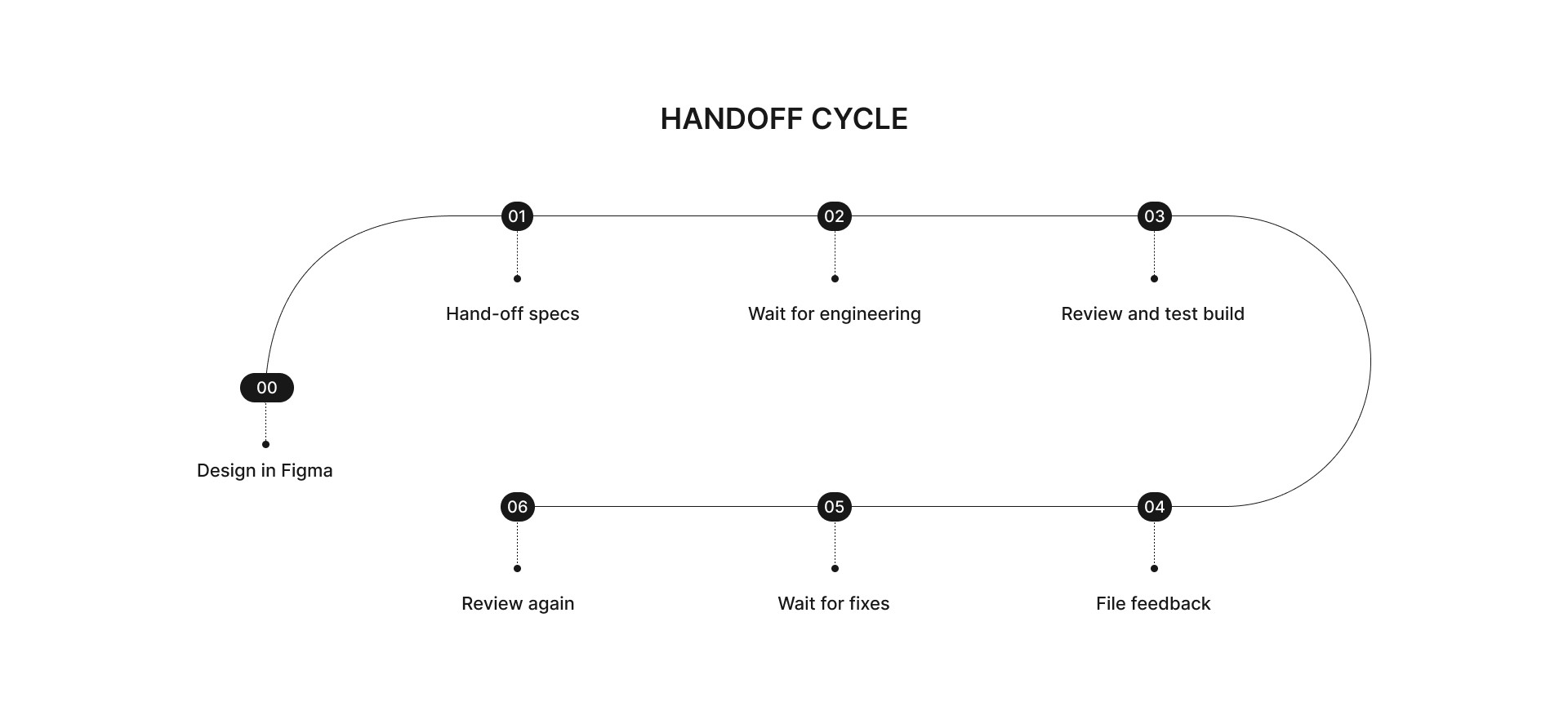
Small visual fixes like alignment, spacing, consistency, polish, all sat in the backlog because engineers (understandably) prioritized complex backend work. From their perspective, these were low-priority tasks. From mine, they were the difference between looking polished and looking amateur.
QA cycles stretched into weeks. The gap between "design done" and "shipped" was where momentum died. And with an aggressive product roadmap, we couldn't afford that gap.
The bottleneck wasn't engineering capacity. It was the handoff itself.
The Shift
I started writing front-end code; not to become an engineer, but to close the gap between design and shipped product. The learning curve was steep. I'd never opened a terminal before this. Long lines of code went completely over my head. But I started small. Asked an engineer to help me set up the basic environment, then built a simple prototype outside our codebase just to see if it was possible.
It worked. That opened up everything. I approached the CEO for limited access to the codebase. With AI coding tools (Windsurf first, the Cursor, Claude) and support from the engineering team, I built enough proficiency to ship production code within weeks. The learning happened by doing, prompting, seeing changes in real-time, testing locally, getting instant feedback.
The New Workflow
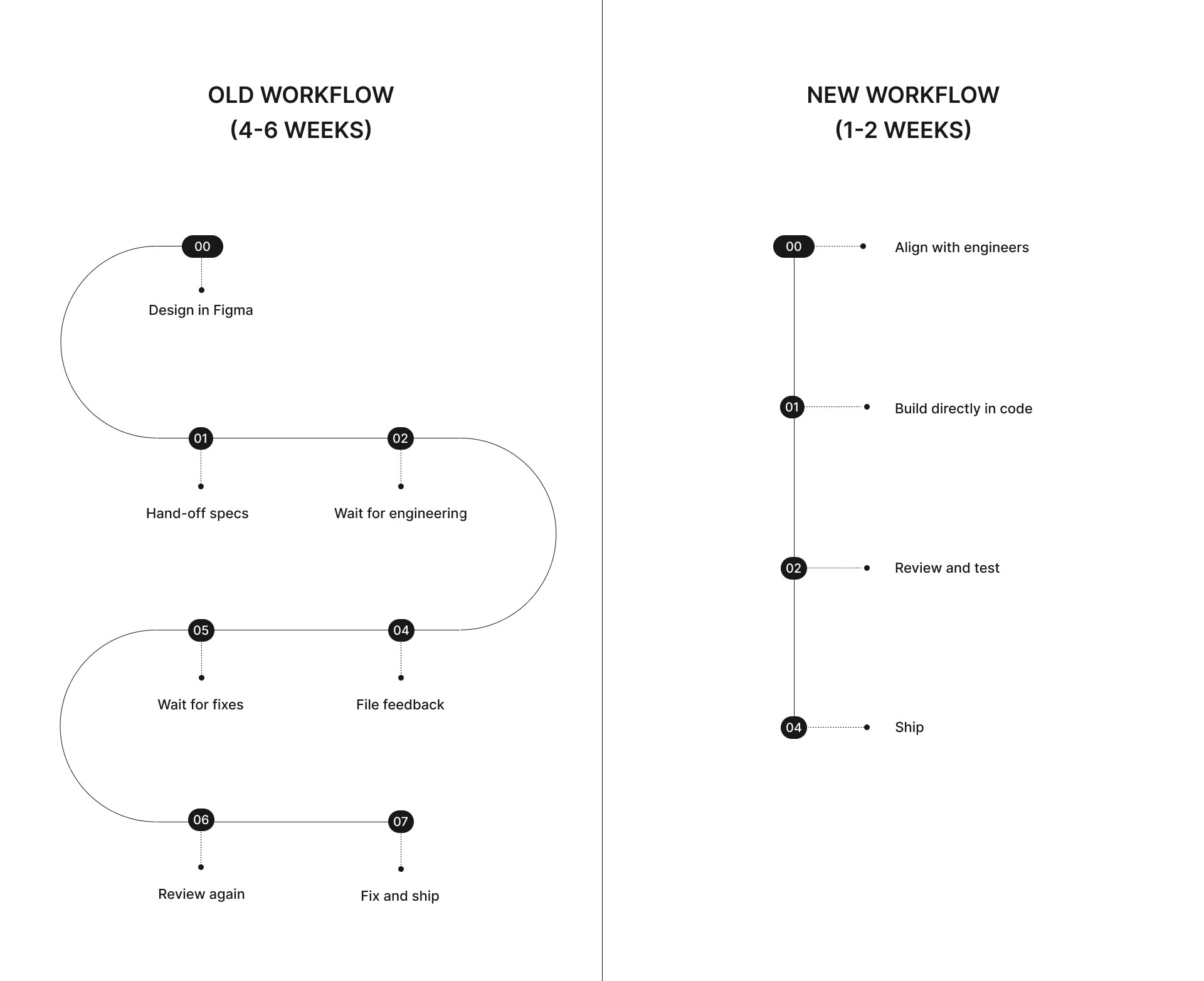
For smaller features and enhancements: Skip Figma entirely. Align with backend engineers on API availability. Build directly in code. Test. Ship.
For larger features: Design in Figma first. Align with backend. Then build the front-end myself instead of handing off.
Quality gates remained rigorous: Local testing → 80% test coverage → Code Rabbit automated review → Engineer code review → Staging environment → QA → Production. No shortcuts.
Every PR was reviewed by engineers. All feedback addressed. Tests were mandatory.
What This Enabled
With this approach, I shipped multiple features end-to-end during Thena's AI product rebuild. Here are a few features:
Feature: AI Web Chat Widget
What it is: An AI-powered chat widget customers embed on their websites. End users ask questions, the AI responds using the customer's documentation. Complex queries get escalated to human agents.
The problem: Widget deployment was buried deep inside agent settings, zero discoverability. Users had to navigate a confusing multi-step flow requiring 3 separate API calls. The architecture made sense from a backend perspective but not to users.
What I did: Mapped the backend architecture to understand why three APIs existed. Advocated for consolidation, negotiated with backend team to chain 2 APIs automatically. Built front-end logic to handle all edge cases (API failures, error states, recovery flows). Designed and built the full customization panel: widget placement, colors, intro messages, ticket creation settings, agent naming.
Timeline: 2-3 weeks, end-to-end.
Problem
Web chat is one of the most critical ticket sources for any customer support platform — it's the primary channel through which end customers reach out for help. We were building this from an AI-first perspective: the goal wasn't just to add another support channel, but to fundamentally reduce the time and resources required for customer support by deploying an AI agent that could handle first-level queries automatically.
The challenge was building the deployment experience for this AI agent. Customers needed to be able to configure, customize, and deploy the widget to their own websites or apps — without needing technical expertise.
Constraints & Challenges
Separate codebases: The web widget itself (what gets deployed on a customer's site) lived in a completely separate codebase from the Thena platform where customers configure it. Understanding how these two systems communicated was critical.
Local environment complexity: Until this feature, I had only been working with front-end changes. For the web widget, I needed the entire backend stack running locally — backend services, Redis, everything — just to test changes. Setting this up was a learning curve in itself.
Three-API architecture: Deploying a widget required multiple separate API calls:
Hire the AI agent from a separate service
Install the AI agent as a bot inside Thena's platform service
Add the agent to a team
Enable deployment of the agent onto a web widget
Each of these was a separate step, and only after all were complete could you configure the deployment. This architecture made sense from a backend perspective but created a confusing experience for users.
No configurability: When I first deployed a test widget, I realized nothing was customizable — not the color, not the icon, not the intro message, not how many past conversations were visible. The widget worked, but customers couldn't make it match their brand.
Approach
Understanding the architecture: I started by mapping how the deployment actually worked what the code needed, how the two codebases communicated, what each API did. I built a dummy website to test the deployment flow myself, implementing the front-end code that would eventually deploy the widget.
Identifying gaps: Through testing, I discovered multiple configuration gaps confusing multi-step flow requiring 4 separate API calls, widget positioning, colors, intro messages, chatbot styling, past conversation visibility, and more. I took all of these and brought them back to the backend team.
Rethinking the UX The core insight: I couldn't just expose front-end code and ask customers to deploy it. The person configuring colors and messaging might be different from the person doing the technical deployment. So I built a configuration interface where users could set all their preferences, and then the system would generate the correct front-end deployment code based on their inputs. Copy, paste, done.
Handling the API complexity Rather than exposing the four-step API flow to users, I worked with the backend team to combine two and chain the other two of the APIs automatically. Users saw a streamlined flow; the complexity was handled behind the scenes.
Missing pieces: When the AI agent escalates a conversation, the chat session is converted into a ticket inside Thena. I implemented context propagation so the full AI conversation history (user messages, AI responses, failure point, metadata) is attached to the ticket and visible to the assigned agent. This ensured human agents could pick up exactly where the AI left off, without loss of context or duplicate questioning.
Outcome
Adoption: 48 of 76 organizations migrated to the new platform started using the AI Web Widget.
Feature: AI Chat Threads
Problem
The AI Web Widget created a new gap: visibility. When an end user chatted with the AI agent and their issue got resolved without creating a ticket, that conversation disappeared. Thena customers had no way to:
Monitor what the AI was saying to their users
Evaluate which queries were being handled well vs. poorly
Identify patterns in what wasn't converting to tickets
Train and improve their AI agents based on real conversations
The data existed, we just weren't surfacing it.
Constraints & Challenges
Data format: Conversations came in as HTML within JSON a messy format that needed parsing to extract individual messages, identify who said what (user vs. agent), and render it as a readable chat interface.
Performance at scale: Customers could have hundreds or thousands of conversations. The UI needed to remain responsive regardless of data volume.
API pagination: The API only returned 50 results at a time. I discovered this after deploying to production our test environments never had enough data to hit the limit. Had to implement paginated virtualization after the fact.
Multiple filter requirements: Users needed to filter by:
Ticket created vs. not created
Date range
Logged-in vs. anonymous user
Search across conversation content
Feedback loop: Beyond just viewing conversations, users needed a way to provide feedback on AI responses thumbs up/down to improve agent training over time.
Approach
Step 1: Data transformation Built parsing logic to convert the HTML/JSON format into structured conversation data extracting user messages, agent responses, timestamps, and metadata.
Step 2: UI architecture Designed a split-view interface: thread list on the left (with filters and search), full conversation on the right. Implemented virtualization using VirtuoSO so only visible items render, keeping the UI fast regardless of data volume.
Step 3: Pagination handling After discovering the 50-result API cap in production, I implemented seamless paginated loading fetch more threads as users scroll, no "load more" buttons interrupting the experience.
Step 4: Feedback system Added thumbs up/down capability on individual AI messages, allowing teams to flag good and bad responses. This data feeds back into agent training.
Step 5: Filters and search Built out the full filter system: ticket status, date range, user verification status, login status. Plus full-text search across conversations.
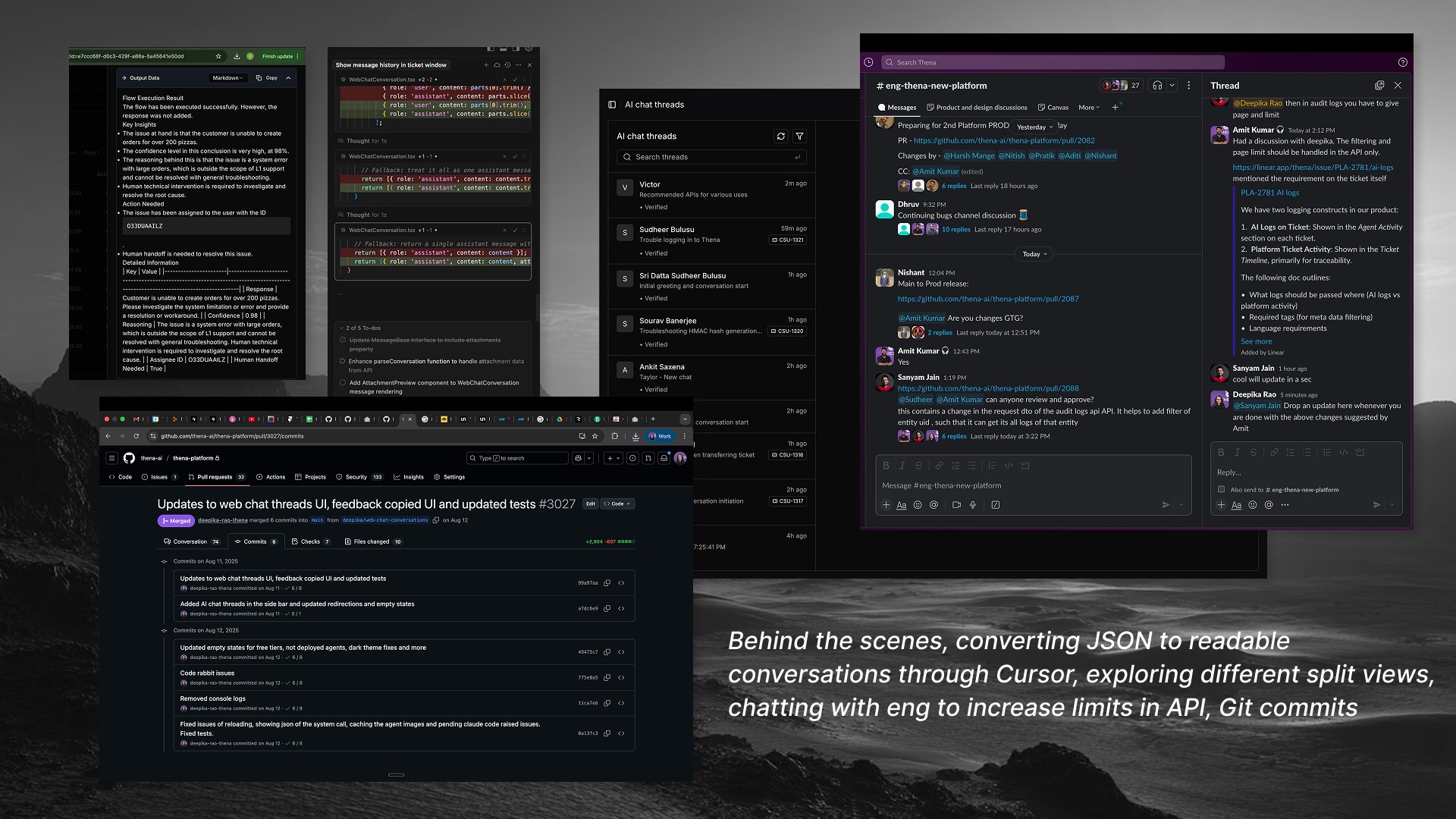
Link of git commit summary ↗
Outcome
Adoption: All 48 organizations with the AI Web Widget deployed started using AI Chat Threads to monitor their AI agent performance.
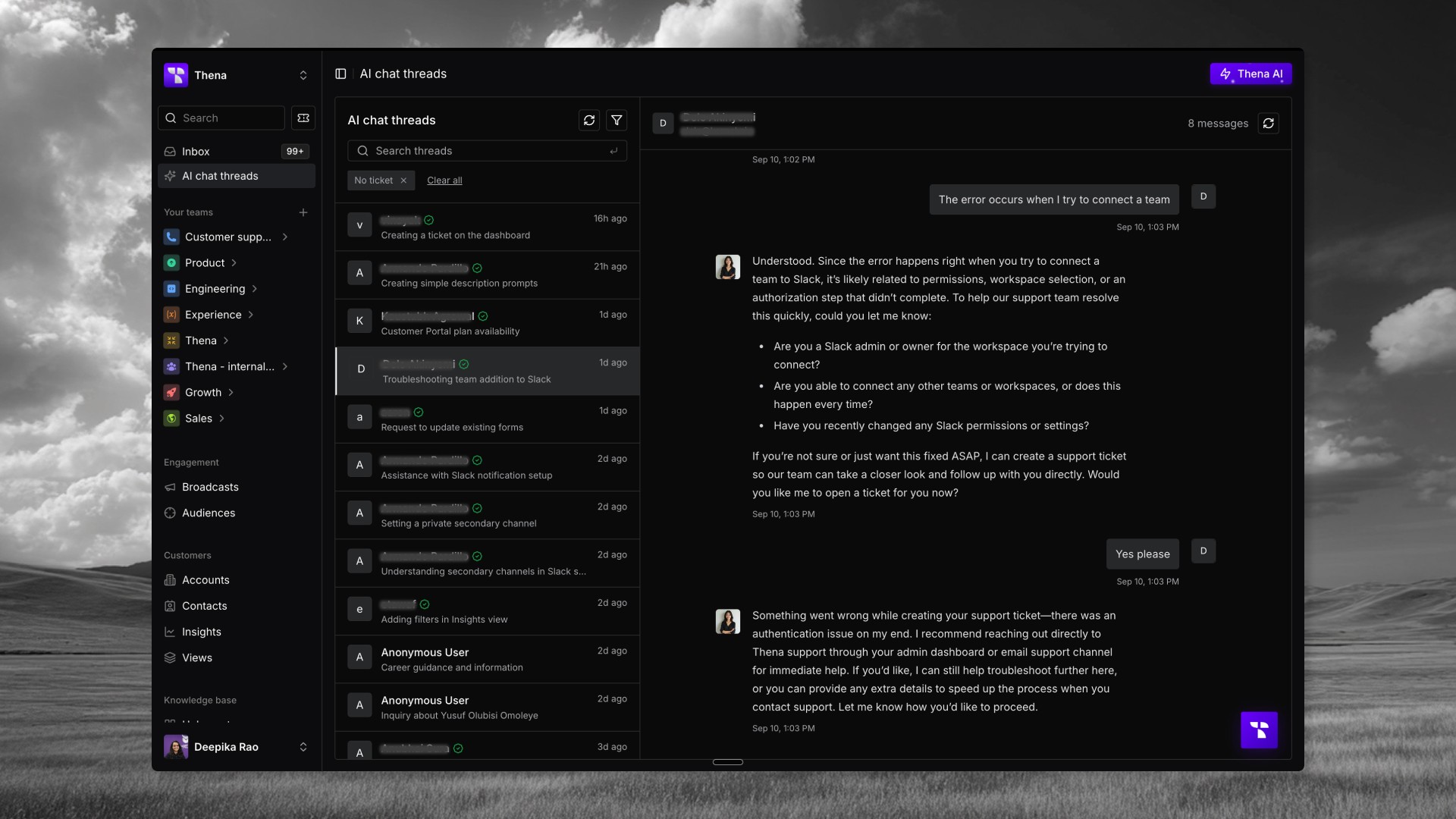
Feature: Broadcast
Problem
Broadcast — mass messaging to customers was an existing feature on the old Thena platform that needed to be rebuilt for the new platform. But this wasn't a simple migration:
Scope expansion: The old version only supported Slack broadcasts. The new version needed to support both Slack and email two very different channels with different constraints.
No documentation: The backend engineer who built the broadcast infrastructure left the company. There was no handoff, no documentation, and no context on how the APIs worked or what edge cases existed.
Tight timeline: Despite the complexity, we had less than a week to ship the front-end.
Constraints & Challenges
Channel co-dependencies: Slack and email had complex interdependencies. Whether you could send via email depended on whether email was configured for the organization. Same for Slack. These checks weren't being handled correctly in the existing backend logic.
Backend bugs: As I tested flows, I discovered the backend had incorrect logic around Slack and email being co-dependent on each other. These weren't just front-end issues, the backend needed fixes too.
Audience management complexity: Beyond just sending messages, users needed to manage audiences create segments, apply filters, save audiences for reuse. The conditional filtering logic was extensive.
Broken starting point: There was a basic wireframe from the backend team, but it was completely unusable. Not just unpolished fundamentally broken flows that needed to be rethought.
Approach
API testing With no documentation, I opened Postman and tested every single API endpoint manually. Mapped out what each endpoint did, what parameters it expected, what it returned, and where it broke.
Bug identification Through systematic testing, I identified backend bugs particularly around the Slack/email co-dependency logic. Documented these and worked with the remaining engineers to fix them.
Channel validation Built front-end checks to validate whether Slack and email were properly configured before allowing users to select those channels. Clear error states when configuration was missing.
Audience management Designed and built the audience management flow conditional filters, segment creation, saved audiences. Made the complex filtering logic feel intuitive.
End-to-end flow Rebuilt the broadcast creation flow from scratch: compose message → preview → choose channels → select audience → send. Each step with proper validation and error handling.
How I received Broadcasts
V/s
Where I got it to in the first local version
Link of git commit summary ↗
Outcome
Feature shipped successfully within the timeline despite the constraints. The combination of Slack + email support gave customers flexibility the old platform didn't have.
Delivered many more major features and countless fixes, this approach enabled continuous improvement, the kind of development work that previously sat in the backlog for weeks. Visual polish across the product. Interaction refinements. These shipped in days instead of waiting for weeks and fighting for engineering bandwidth.
Working With Engineering
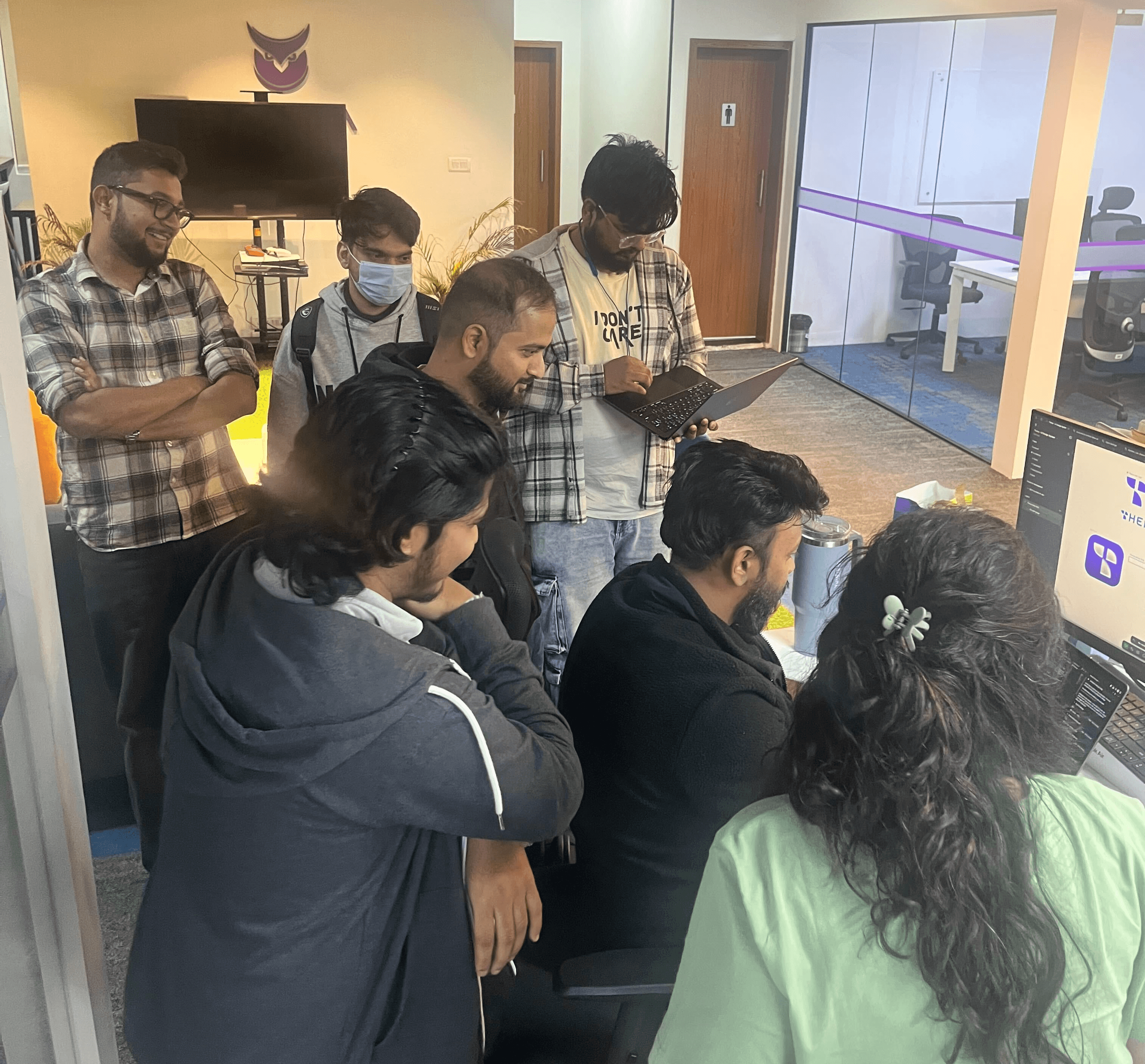
This wasn't a solo effort, and it wasn't frictionless. The engineers were skeptical at first and reasonably so. They were protective of their code. They didn't want someone inexperienced making a mess of the codebase. My PRs got extra scrutiny: every nitpick addressed, tests mandatory, reviews thorough.
I asked a lot of questions. Merge conflicts were my nightmare, I'd get completely lost and had to learn basic Git commands from scratch. The engineers helped me through it. Over time, the dynamic shifted. They realized I wasn't trying to take their jobs or overstep. I was trying to help the team ship faster. They could focus on complex backend architecture while I handled front-end features end-to-end. We moved faster together.
The Impact
Build cycles: 4-6 weeks → 1 week
QA iterations: Days of back-and-forth → Same-day fixes
Handoffs eliminated: For front-end work, I went from design to production without waiting
Engineering capacity freed: Backend team focused on complex infrastructure instead of front-end implementation
Features shipped: AI Web Widget, AI Chat Threads, Broadcast, AI Copilot, Accounts pages, Organization settings, Auto-responders, CSAT, Routing, Themes, Responsive behaviour, Internal threads, Loaders and continuous UI enhancements, plus ongoing improvements across the product.
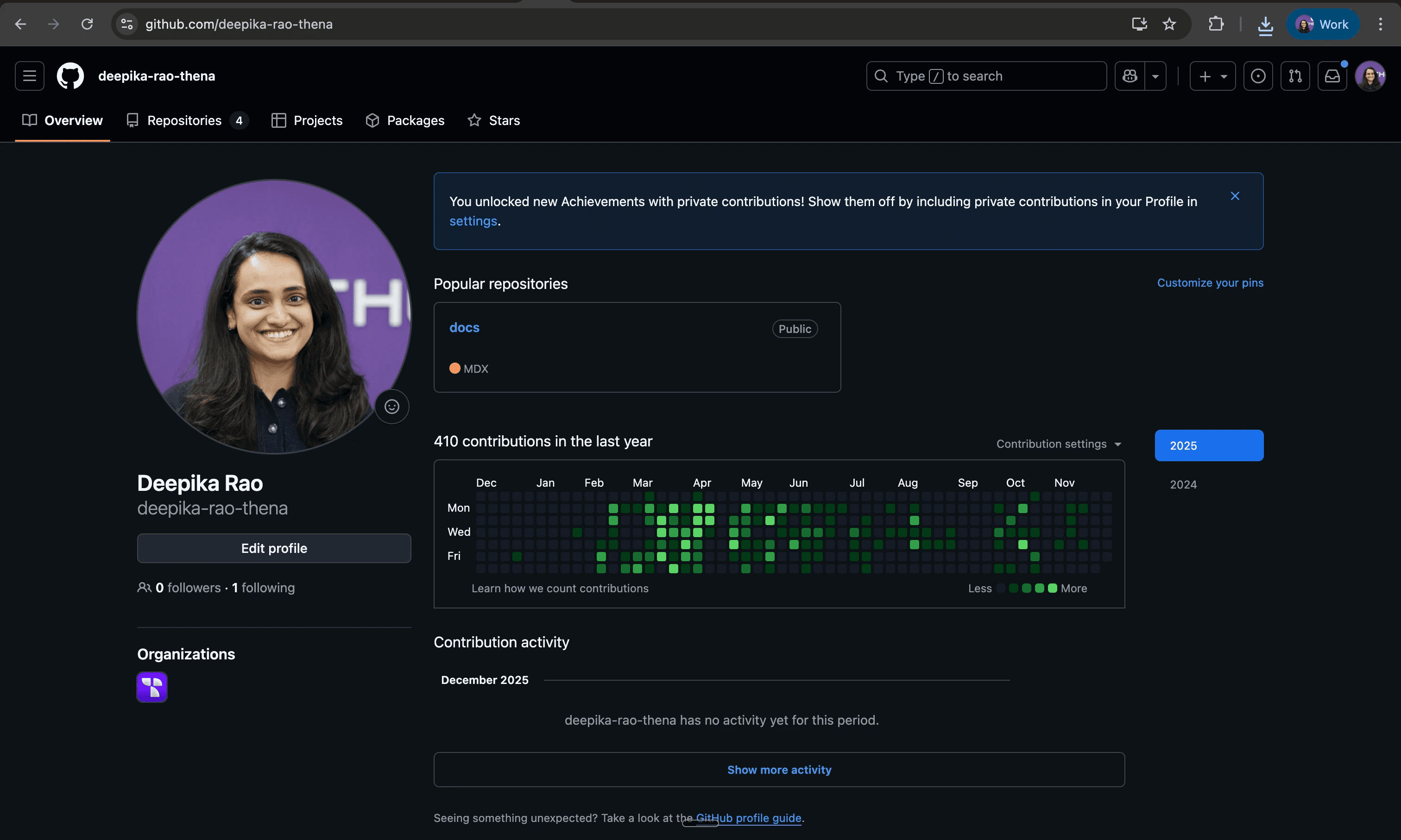
My commits across the months ↗
Tool Stack
Reflection
The skill I built wasn't "coding" It was removing dependencies. When you can take a feature from idea to production without waiting on others, everything changes: how fast you iterate, how much you can take on, how you collaborate with engineering.
There's a common belief that designers shouldn't code because it limits creative thinking, you start designing for what's buildable instead of what's ideal. I found the opposite.
Building within code opened up solutions I wouldn't have considered otherwise. And when speed matters, that knowledge is a multiplier.
The hardest part wasn't the technical learning. It was crossing the mental block those long lines of code that used to terrify me, facing them head-on, and discovering I could figure it out.